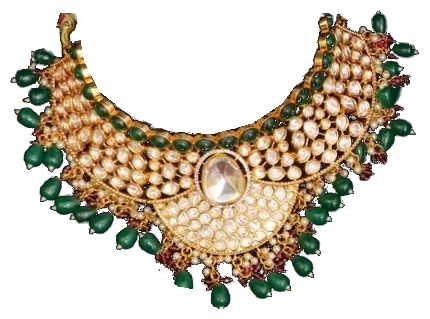
ORIGINAL PHOTOGRAPH CUTOUT
Green Bridal Set
WWGS-RW-BRIDAL-RN-004-GREEN
Preview this necklace See the product photographs
YOUR LOOK. YOUR DEVICE. YOUR MOMENT.
Explore an original necklace with your camera or a photo. On-device tracking follows your neckline; fit controls help you make it your own.
Start my private previewPhotos and camera frames stay on this device. No cloud image processing or generated jewellery.
These previews use cutouts from the original product photographs.
Start your camera or choose a photo with your face and shoulders visible.
Let the preview align, then fine-tune the size and position. Confirm the real fit in our boutique.
A LITTLE EXPERIMENT. A LOVELY POSSIBILITY.
5 original necklace previews.
For styling ideas; confirm actual fit in store.
ORIGINAL PHOTOGRAPH CUTOUT
WWGS-RW-BRIDAL-RN-004-GREEN
Preview this necklace See the product photographs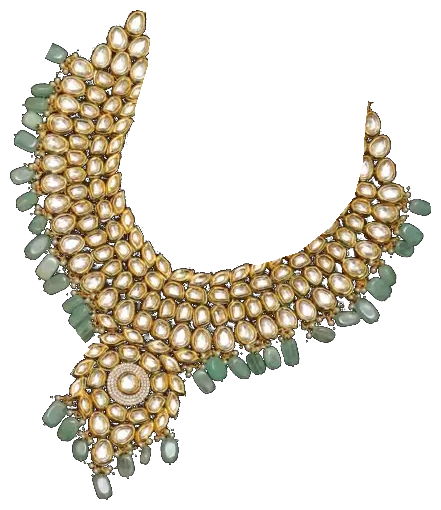
ORIGINAL PHOTOGRAPH CUTOUT
WWGS-RW-BRIDAL-RN-006
Preview this necklace See the product photographs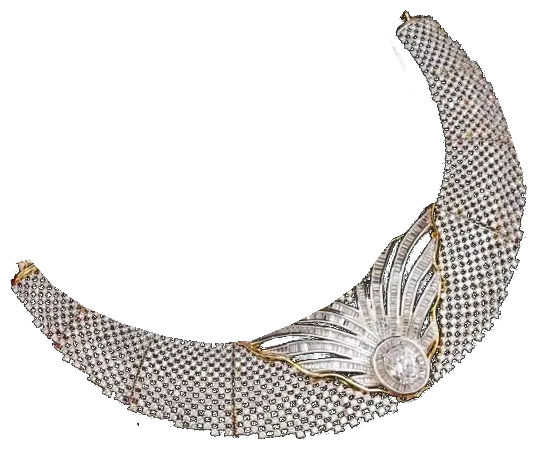
ORIGINAL PHOTOGRAPH CUTOUT
WWGS-KA-PSETS-RN-016
Preview this necklace See the product photographs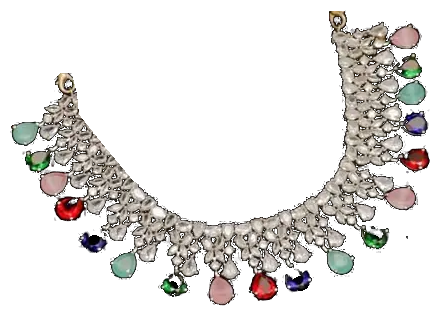
ORIGINAL PHOTOGRAPH CUTOUT
WWGS-KA-PSETS-RN-045
Preview this necklace See the product photographs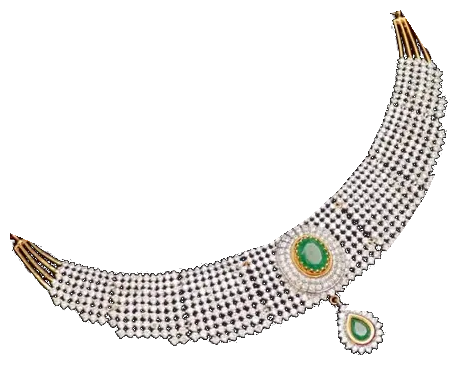
ORIGINAL PHOTOGRAPH CUTOUT
WWGS-KA-PSETS-RN-051
Preview this necklace See the product photographsA LITTLE CLARITY BEFORE YOU BEGIN
Both. Open a preview, then choose your camera or a photo from your device. Camera access starts only when you choose it and give browser permission. On-device tracking estimates the neckline from head and shoulder landmarks. You can fine-tune the placement, size and angle.
Automatic alignment uses a small vision model running locally in your browser. It does not generate jewellery images or send camera frames and photos to a cloud AI service. The jewellery itself is a cutout from an original product photograph.
Your photo stays in your browser on your device. It is not uploaded to the store or an AI service. Closing the preview stops its camera stream and clears temporary photo resources. If you choose to download a preview, the saved image stays on your device.
This is a styling preview with estimated alignment. It does not measure your neck or predict the exact fit, drape, finish or colour in person. Use the fit controls to adjust the estimate, then visit the boutique to confirm the actual jewellery.
The preview is available for the original necklaces shown on this page and on product pages with a Preview this necklace link. Other pieces remain available to explore through their photographs and an enquiry with the boutique.